HVAC troubleshooting for homeowners should narrow the problem without opening sealed refrigerant lines, gas components, high-voltage compartments, or anything the system was not designed for a homeowner to service. The goal is to collect clear clues, correct simple airflow or control issues, and know when the safest next step is a technician.
Start with the symptom: no air, weak air, warm air during cooling, cool air during heating, short cycling, water near the unit, ice, unusual noise, burning smell, or one room that never feels right. Each symptom points to a different path, and a calm sequence keeps repeated restarts from making the problem worse.
A: Record the thermostat display and check its mode and target against the room temperature, then follow the owner's permitted basic checks.
A: It may be circulating air without a cooling call, or the cooling equipment may not be delivering output. Confirm the control status before assuming a failed part.
A: Yes. Wrong fit, incorrect installation, or unsuitable airflow resistance can create problems even when the media is clean.
A: Do not use widespread register closure as a cure. Document the room pattern and have the supply and return arrangement evaluated.
A: Ice has several possible causes, including airflow problems. Stop cooling and have a technician diagnose it rather than requesting refrigerant on that clue alone.
A: No. A drainage-related shutdown needs its cause addressed, and defeating the switch can permit water damage.
A: No. Note conditions and readings for the technician, who can interpret them alongside airflow and equipment measurements.
A: Leave the building without operating electrical switches and contact the gas emergency provider or emergency services from a safe location.
A: High-voltage components and stored electrical energy are outside these homeowner checks; keep the equipment off and arrange qualified service.
A: Provide the equipment type, exact symptom, onset, thermostat status, filter details, run pattern, water or ice observations, displayed codes, and any recent changes.
Start With the Exact Symptom
Write down what the system is doing before changing settings. Is the thermostat blank, the blower silent, the outdoor unit off, the indoor fan running without heating or cooling, or the system cycling every few minutes? Those details matter because “not working” can mean several different failures.
Also note when the problem started. A filter change, storm, power outage, thermostat adjustment, furniture moved over a vent, or recent service visit can provide a clue. The timeline helps separate a sudden failure from a slow performance decline.
Check the Thermostat First
The thermostat is the safest first stop. Confirm the mode, set temperature, schedule, hold setting, fan setting, batteries, screen status, and whether the thermostat is actually calling for heat or cooling. A thermostat left in fan-only mode can make the system feel broken even when the blower is simply circulating air.
If the thermostat is blank, replace batteries if it uses them and check whether the HVAC equipment has power. Do not pull wires or bypass controls unless you are qualified. A simple setting mistake is fine to correct; wiring diagnosis belongs in a different category.
Check the Air Filter
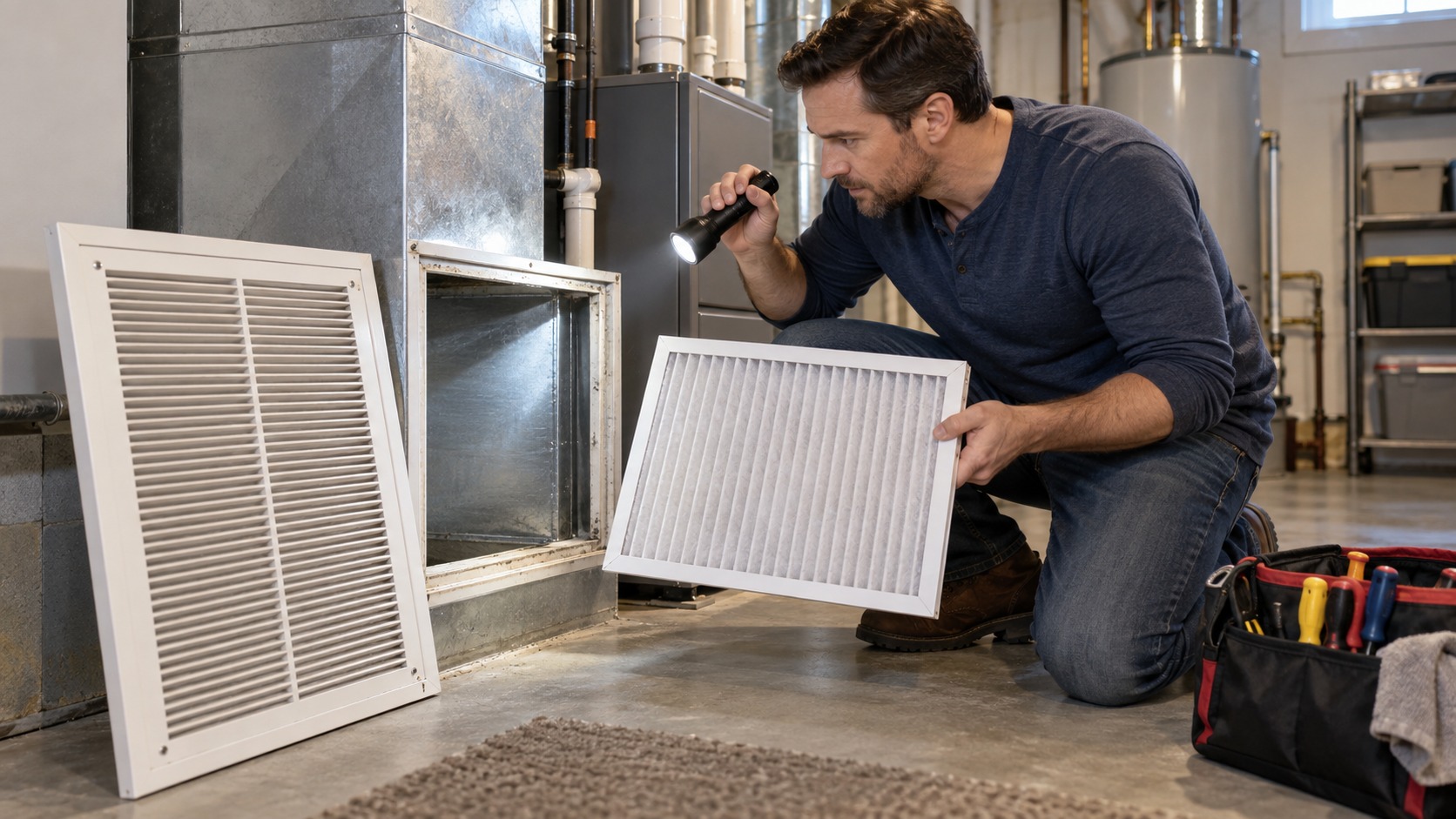
A dirty filter can reduce airflow enough to cause weak comfort, long run times, frozen coils, overheating, short cycling, dust, and noisy operation. Pull the filter and check the size, direction arrow, dirt load, and whether it is collapsed or jammed in the rack.
Replace clogged filters with the correct size and type. Extremely restrictive filters can be a problem for some systems even when new. If the system improves after a filter change, keep notes about the filter model and replacement interval so the issue does not return.
Confirm the Filter Fits the Rack
A filter can be new and still cause trouble if it is the wrong size or installed poorly. Gaps around the filter let dust bypass it, while an oversized or bent filter can block airflow. The airflow arrow should point toward the equipment, not toward the return grille.
If the filter slot is loose, whistling, or hard to close, note that for service. A filter rack that leaks or crushes filters can affect indoor air quality and equipment cleanliness. The filter is a maintenance item, but the rack still has to hold it correctly.
Open and Inspect Supply Registers
Closed registers and blocked returns can make a healthy system act weak. Walk the house and check that supply vents are open, rugs are not covering floor registers, furniture is not blocking returns, and curtains are not trapping airflow.
Do not close many registers to “push” air to another room. That can increase pressure in the duct system and reduce performance. If one room is always uncomfortable, the issue may involve duct design, balancing, insulation, sun exposure, or return air, not just the vent lever.
Look at the Breaker and Switches
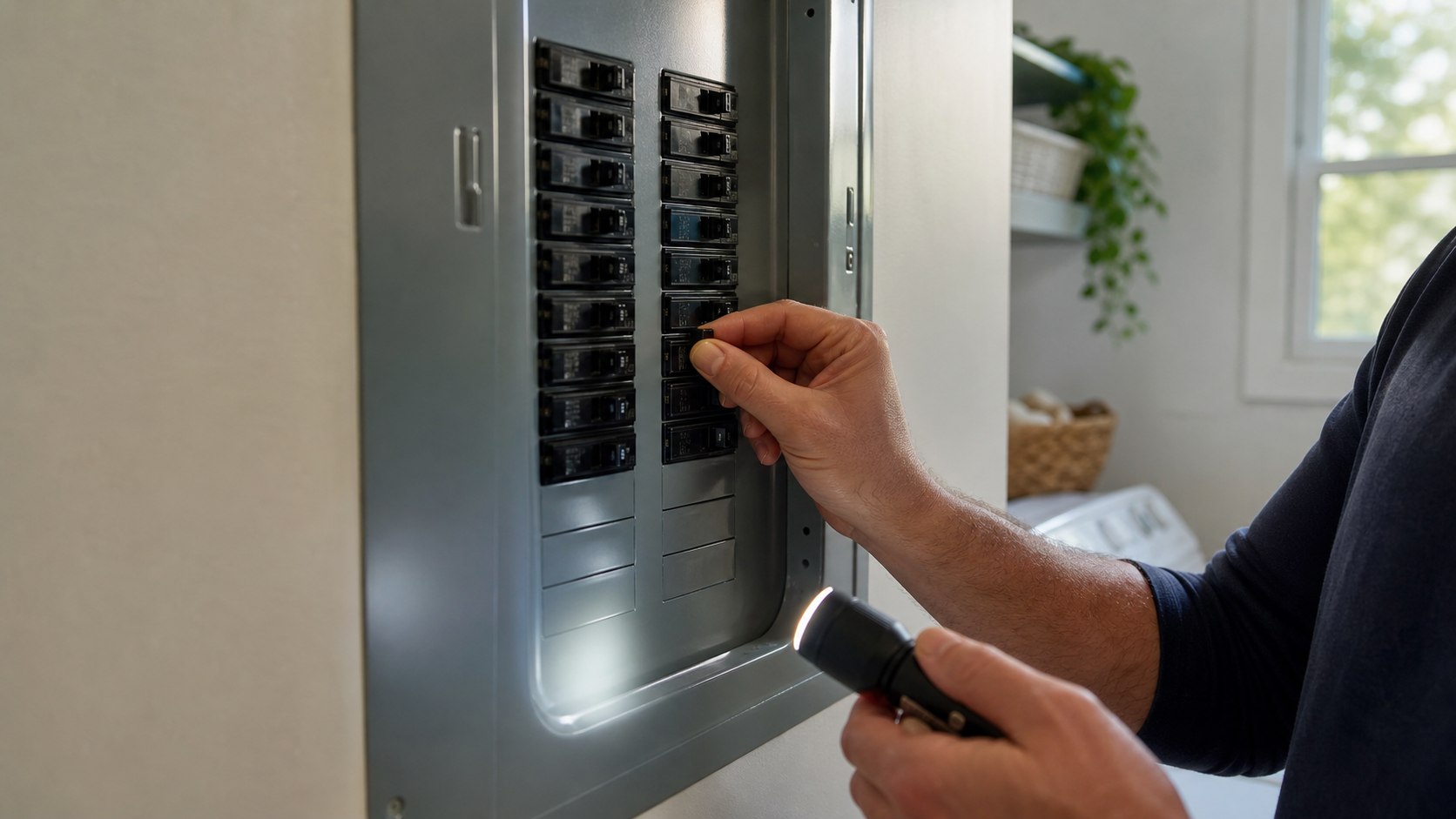
Many HVAC systems have more than one power control. There may be a breaker, furnace or air-handler switch, outdoor disconnect, service switch, condensate safety switch, or equipment door switch. Check only the controls meant for homeowner access.
If a breaker is tripped, reset it once. If it trips again, stop. Repeated breaker resets can indicate a serious electrical or equipment fault. A technician should diagnose repeated trips, burning smells, buzzing, scorch marks, or equipment that hums without starting.
Check Equipment Panels and Doors
Some furnaces and air handlers have safety switches that stop operation if a blower door is not seated correctly. If a panel was recently opened for filter access, make sure it is properly latched. Do not tape switches down or defeat safety controls.
Panels also help contain airflow. A loose or missing door can affect performance and safety. If the door will not seat because something inside is out of place, stop and get help rather than forcing it.
Look for Water Around the Unit
Water near indoor HVAC equipment can come from condensate drains, a clogged trap, a cracked pan, a frozen coil thawing, humidifier trouble, or nearby plumbing. Turn the system off if water is spreading near electrical components or finished surfaces.
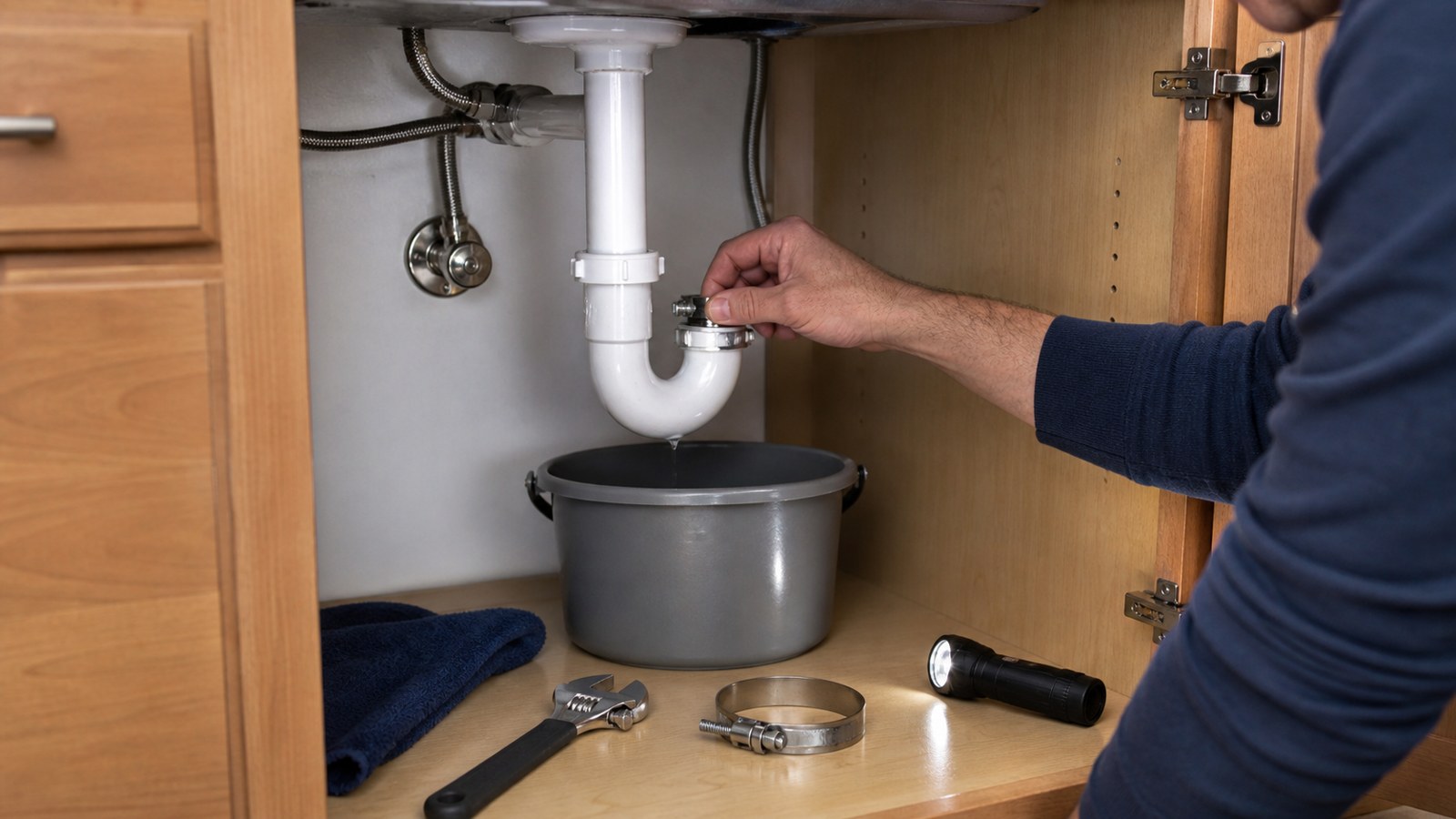
Some systems have a float switch that shuts cooling down when the drain backs up. If cooling stops and the drain pan is wet, the shutdown may be protecting the home. Clearing a simple accessible drain line may be homeowner-friendly in some setups, but hidden clogs, attic units, repeated backups, or wet ceilings deserve professional help.
Check the Condensate Route
In cooling season, moisture removed from indoor air has to drain somewhere. Look for the visible drain line, pump, floor drain, or termination point if it is accessible. A line that is disconnected, kinked, algae-clogged, or draining uphill can cause shutdowns and water damage.
Do not ignore a small drip from an attic or closet unit. A little water in the wrong place can damage ceilings, floors, and equipment. If the system has a condensate pump, listen for whether it runs and verify the discharge tube is not pinched or pulled loose.
Take Ice Seriously
Ice on refrigerant lines, the indoor coil area, or the outdoor unit in cooling season usually means the system should be turned off and allowed to thaw before further testing. Common causes include low airflow, dirty filters, blower issues, refrigerant problems, or control faults.
Do not chip ice with tools or keep restarting the air conditioner. After replacing a dirty filter and confirming airflow, persistent icing needs a technician. Refrigerant-side diagnosis and repair are not homeowner tasks.
Check Outdoor Unit Clearance
For central air conditioners and heat pumps, the outdoor unit needs airflow. Leaves, cottonwood, grass clippings, shrubs, snow, fencing, and stored items can choke the coil and reduce performance. Keep the area around the unit clear according to the manufacturer guidance.
Power should be off before any gentle exterior cleaning, and homeowners should not remove guarded panels or reach into the fan area. If the coil is heavily impacted, damaged, or needs chemical cleaning, call for service.
Listen to the System
Noises give useful clues. Rattling may be a loose panel. Whistling can point to restrictive airflow. Grinding, screeching, buzzing, banging, repeated clicking, or humming without startup deserves caution. A new loud sound is not something to ignore.
Record a short video if the sound is intermittent. Note whether it comes from the thermostat, indoor unit, ducts, vents, or outdoor unit. That recording can help a technician diagnose a problem that does not happen during the visit.
Notice Short Cycling
Short cycling means the system starts and stops quickly instead of running a normal cycle. Causes can include thermostat placement, dirty filters, airflow restrictions, overheating, frozen coils, oversized equipment, safety switches, or mechanical faults.
Check the simple items first: filter, vents, returns, thermostat settings, and obvious water safety switch issues. If short cycling continues, stop repeated operation. Frequent starts can be hard on equipment and may point to a fault that needs service.
Separate Heating and Cooling Clues
A system that cools but does not heat has different likely causes than one that heats but does not cool. Heat pumps, gas furnaces, boilers, mini-splits, and electric air handlers also behave differently. Identify the equipment type before assuming the diagnosis.
For gas equipment, stop immediately if there is a gas smell, soot, rollout signs, scorch marks, or carbon monoxide alarm. Leave the home if needed and follow emergency guidance. Gas combustion and venting are not areas for homeowner experimentation.
Understand Heat Pump Behavior
Heat pumps can behave differently from gas furnaces. Supply air may feel warm rather than hot, and the outdoor unit may run during heating. In cold weather, defrost cycles can create steam or temporary changes in sound that are normal for some systems.
That said, constant ice buildup, cold air that never improves, emergency heat running all the time, or error lights should be documented. Heat pump troubleshooting should still stay within homeowner-safe checks: thermostat mode, filter, airflow, outdoor clearance, and service history.
Check the Return Air Path
Return air is just as important as supply air. If bedroom doors are closed and there is no return path, rooms can become pressurized and uncomfortable. A blocked return grille can starve the blower and reduce heating or cooling capacity.
Keep return grilles clean and open. If the system changes dramatically when doors are open versus closed, ask about return-air solutions during service. The problem may be airflow design rather than equipment failure.
Look for Dirty or Bent Vents
Dusty registers, crushed duct sections, disconnected flex duct, kinked runs, or closed dampers can create room-by-room comfort problems. In basements, crawlspaces, or attics, visible duct issues may explain weak airflow at a specific room.
Do not crawl into unsafe attics or cramped spaces without proper precautions. If ducts are damaged, poorly supported, or disconnected, repair should be done correctly so airflow improves without creating leaks or condensation problems.
Use Temperature Clues Carefully
A homeowner can compare air temperature at supply vents, return grilles, and rooms, but numbers should be interpreted cautiously. Different systems, humidity, outdoor temperature, airflow, and run time all affect readings. A quick measurement is a clue, not a final diagnosis.
If the system runs but comfort is poor, note indoor temperature, outdoor temperature, thermostat setting, supply air feel, and how long the system has been running. Those details are more useful than saying the air “seems weak.”
Watch for Humidity Problems
High indoor humidity can make a cooling system feel ineffective even when the temperature is close to the set point. Causes can include oversized equipment, short cycles, poor airflow, ventilation issues, moisture sources, clogged drains, or thermostat settings.
Use a hygrometer if comfort feels sticky. Note whether humidity is high throughout the home or only in one area. Persistent humidity issues can affect comfort, indoor air quality, and building materials, so they deserve more than lowering the thermostat repeatedly.
Look at the Home Around the System
Sometimes the HVAC equipment is blamed for problems caused by the house. Missing attic insulation, leaky ducts, open fireplace dampers, unsealed crawlspaces, sunny windows, poor weatherstripping, and unbalanced rooms can make comfort uneven even when the equipment runs.
Make simple observations before assuming the unit is failing. Which rooms are uncomfortable? What time of day? Are doors closed? Does direct sun hit the room? Are ducts in a hot attic or cold crawlspace? Those clues help separate equipment faults from building-shell problems.
Avoid Repeated Restarts
Turning equipment off and on repeatedly rarely fixes the cause and can make some problems worse. Compressors, motors, control boards, and safety switches may need time between attempts. If a system trips, freezes, smells hot, or shuts itself down, repeated restarts are a warning sign.
After one basic reset or thermostat correction, observe what happens. If the same failure returns, stop and document it. The pattern is useful; repeated forcing is not.
Know the Homeowner Stop Line
Homeowners can safely check settings, filters, vents, returns, visible water, outdoor clearance, accessible panels, and obvious power controls. Stop at sealed refrigerant components, gas valves, burners, heat exchangers, high-voltage wiring, capacitors, fan motors, control boards, and anything that requires bypassing a safety device.
Also stop for burning smells, gas odor, carbon monoxide alarms, repeated breaker trips, ice that returns, water near electrical components, sewage-like odors from condensate areas, or equipment that makes harsh mechanical noises. A safe stop is part of good troubleshooting.
Prepare for a Service Call
Good notes can shorten a technician’s visit. Write down thermostat settings, filter size and age, when the problem happens, which equipment runs, whether the outdoor unit starts, whether air moves at vents, any water or ice, noises, error lights, and recent changes in the home.
Clear access to the furnace, air handler, outdoor unit, electrical panel, attic hatch, crawlspace entry, and thermostat. Replace the filter if it is obviously clogged, but keep a photo of it. The condition of the old filter may help explain the failure.
Final HVAC Troubleshooting Review
Good HVAC troubleshooting starts with the symptom and moves through safe, visible checks: thermostat, filter, vents, returns, breaker, equipment doors, water, ice, outdoor clearance, sounds, and run pattern. Each clue narrows the problem without opening equipment that should remain closed.
When the issue involves refrigerant, gas, high voltage, repeated safety trips, combustion, persistent ice, or water near electrical parts, the right fix is a qualified technician. A homeowner’s best work is to keep airflow healthy, catch obvious problems early, document the pattern, and stop before troubleshooting becomes unsafe.